The Nuxeo OIDC Login add-on adds standards-based OpenID Connect (authorization-code + PKCE) authentication to Nuxeo, with Microsoft Entra ID as the default, fully overridable provider.
The add-on is generic, reusable and customer-agnostic. It covers three things:
- Authentication — an
OIDC_AUTHplugin that redirects unauthenticated interactive requests to the provider and establishes a Nuxeo session from a validated ID token on callback. - User resolution — mapping the validated subject to a Nuxeo user by the immutable external identifier, delegated to the platform
UserMapperseam. - Optional just-in-time (JIT) provisioning — creating a password-less user on first sign-in.
Bulk directory synchronization and account provisioning (for example a scheduled sync from Entra) are out of scope for this add-on.
Before You Start
You need a registered application in your identity provider. For the default Microsoft Entra ID provider:
- An app registration in your Entra tenant, with a client id and (for the confidential authorization-code flow) a client secret.
- A redirect URI registered on that app pointing back at your Nuxeo instance callback (see below).
- Your tenant's OIDC issuer:
https://login.microsoftonline.com/<your-tenant-id>/v2.0.
common issuer. Its discovery document advertises a {tenantid} placeholder issuer that fails the add-on's issuer-match security check. Always use your concrete tenant issuer.
The callback (redirect) URI used by Nuxeo is:
https://<your-host>/nuxeo/oidc/callback/entra
The trailing entra segment selects the provider; a callback with no provider segment defaults to entra. Register this exact URI on the Entra app and set it as nuxeo.oidc.entra.redirectUri.
Installation
This addon requires no specific installation steps. It can be installed like any other package with nuxeoctl command line or from the Marketplace.
The package targets Nuxeo LTS 2025. Installing it restarts the server (both the installer and uninstaller request a restart).
The package ships a configuration template named oidc that activates the platform-native external-identifier feature on the user directory — see User Resolution & Provisioning. No manual template activation is required: it is added at install time.
Nuxeo Configuration
The default Entra provider is contributed disabled, with an empty (required) issuer, so a fresh install boots cleanly. To activate it, configure the provider in nuxeo.conf and set nuxeo.oidc.entra.enabled=true.
A minimal working nuxeo.conf:
# Enable the default Microsoft Entra ID provider
nuxeo.oidc.entra.enabled=true

# Required: your tenant's concrete OIDC issuer (never 'common')
nuxeo.oidc.entra.issuer=https://login.microsoftonline.com/<your-tenant-id>/v2.0

# Credentials from the Entra app registration
nuxeo.oidc.entra.clientId=<application-client-id>
nuxeo.oidc.entra.clientSecret=<client-secret>

# Must match the redirect URI registered on the Entra app
nuxeo.oidc.entra.redirectUri=https://<your-host>/nuxeo/oidc/callback/entra
Provider Configuration Keys
All keys below configure the default entra provider. Every value is overridable through nuxeo.conf.
| Property | Default | Description |
|---|---|---|
nuxeo.oidc.entra.enabled |
false |
Activates the provider. Enabling it before setting a valid issuer fails start-time validation. |
nuxeo.oidc.entra.issuer |
(empty) | Required. The provider's OIDC issuer. Must match the value published in the discovery document. |
nuxeo.oidc.entra.clientId |
(empty) | The application (client) id from the app registration. |
nuxeo.oidc.entra.clientSecret |
(empty) | The client secret for the confidential authorization-code exchange. |
nuxeo.oidc.entra.redirectUri |
(empty) | The callback URI registered on the provider, e.g. https://<host>/nuxeo/oidc/callback/entra. |
nuxeo.oidc.entra.scopes |
openid profile email |
Space-separated OAuth2/OIDC scopes requested at the authorization endpoint. |
nuxeo.oidc.entra.jitEnabled |
false |
Creates the Nuxeo user on first sign-in when it does not yet exist. When false, an unresolved subject fails closed. |
nuxeo.oidc.entra.discoveryTtl |
24h |
Cache lifetime of the provider's OIDC discovery document. |
nuxeo.oidc.entra.jwksTtl |
1h |
Cache lifetime of the provider's JWKS (signing keys). |
nuxeo.oidc.entra.httpConnectTimeout |
5s |
HTTP connect timeout for discovery/JWKS fetches. |
nuxeo.oidc.entra.httpReadTimeout |
5s |
HTTP read timeout for discovery/JWKS fetches. |
nuxeo.oidc.entra.allowedClockSkew |
60s |
Clock skew tolerated when validating the ID token exp/nbf/iat temporal claims. |
The ID-token signature algorithms accepted by the default provider are RS256 and ES256. These are not exposed as a nuxeo.conf key; adjust them by contributing to the providers extension point (see Advanced: Contributing a Provider).
Reserved Keys
| Property | Default | Description |
|---|---|---|
nuxeo.oidc.entra.groupLookupEnabled |
false |
Reserved — no effect in this release. A provider flag wired for a future group-lookup capability. |
nuxeo.oidc.entra.groupLookupEnabled is present in the provider descriptor but the shipped add-on performs no group resolution, so setting it currently has no effect. Group mapping is tracked as separate, not-yet-shipped work. Do not rely on this flag; to resolve groups today, use a custom UserMapper (see Customising the Mapping).
Other Configuration Keys
| Property | Default | Description |
|---|---|---|
nuxeo.oidc.flowState.ttl |
PT10M (10 minutes) |
Lifetime of the single-use, server-side login flow state (PKCE code_verifier, state, nonce). Accepts an ISO-8601 duration. |
nuxeo.oidc.unprovisionedRedirectUrl |
(empty) | Optional. A same-origin, context-relative absolute path served when a subject authenticates but matches no Nuxeo user (JIT off). See Unresolved Subjects. |
Authentication Chain
The add-on registers the OIDC_AUTH authentication plugin and inserts it into the default authentication chain after the programmatic plugins, so API clients keep working while interactive requests are redirected to the provider:
BASIC_AUTH → TOKEN_AUTH → OAUTH2_AUTH → JWT_AUTH → OIDC_AUTH → FORM_AUTH → ANONYMOUS_AUTH
The provider callback URL (.../oidc/callback, optionally .../oidc/callback/<provider>) is routed through a dedicated specific chain serviced only by OIDC_AUTH, so no other plugin can consume the callback. The plugin also contributes a login-screen entry labelled OpenID Connect.
Any callback failure (bad state, token-exchange error, invalid token, missing code) fails closed with a clean 401 rather than a partial login.
User Resolution & Provisioning
After the ID token is validated, the subject's immutable external identifier — the Entra oid claim, falling back to the standard sub claim — is resolved to a Nuxeo user. Resolution is provisioning-agnostic: it works identically whether users are pre-provisioned (for example synced via SCIM or LDAP) or created just-in-time.
The external id is the stable join key, stored in the platform-native sys:id field on the user directory. The Nuxeo user login id is always human-friendly — the token's preferred_username/UPN when it is a safe value, otherwise a deterministic id derived from the external id — never the raw external identifier.
sys:id, which lives on the system schema and is therefore never serialized with the user (it is not exposed through GET /api/v1/user/{name}).
External-Identifier Activation (Template)
Resolution requires the platform native external-identifier feature (the external-id directory type, which adds the sys:id column and the id-or-sys:id resolution path) to be active on the user directory.
The package activates it through the oidc template, added at install time, which contributes the system and external-id types to userDirectory against the directory factory that actually backs it in the deployment:
- SQL (
SQLDirectoryFactory) — the default backend. - MongoDB (
MongoDBDirectoryFactory) — whennuxeo.mongodb.directories.enabled=true.
Emitting this as a template (where nuxeo.conf is visible, so only the matching branch is written) is deliberate: the directory registry replaces rather than merges a same-named directory contributed with a different factory class, so a factory-hard-wired bundle contribution could clobber a MongoDB-backed userDirectory. Stock SQL and MongoDB installs work out of the box with no schema override.
userDirectory only (the external-id type is implemented by those two backends). When the effective userDirectory is LDAP, a multi/stacked directory, or another backend, activate the external-id type on that backend yourself. Until it is active, the add-on fails fast at startup with an actionable message for each enabled provider, rather than resolving against a directory that lacks the feature.
Just-in-Time Provisioning
When nuxeo.oidc.entra.jitEnabled=true, the first sign-in of an unknown subject creates the account automatically. A JIT-created account:
- Is password-less — federated identities never authenticate with a local Nuxeo password.
- Uses a human-friendly login id — the token's
preferred_username/UPN when it is a safe value, otherwise a deterministic id derived from the external id. The raw external identifier (Entraoid, a GUID) is never used as the login id. - Has its external id persisted in
sys:id, making resolution idempotent across subsequent sign-ins.
When JIT is disabled, an unresolved subject fails closed (see 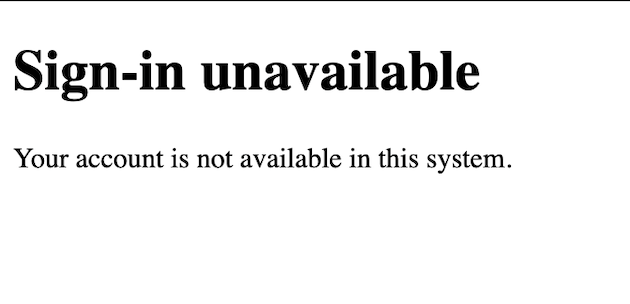 ).
).
With stacked directories (a read-only LDAP over a writable SQL directory), creation lands in the writable sub-directory, so a writable sub-directory is a precondition for JIT.
UNIQUE constraint on sys:id by default, and the add-on carries no in-JVM lock (cross-node coordination belongs in lower-level platform API). Concurrent first sign-ins for the same external id are de-duplicated only by the directory: same-login-id races fail closed on the directory's login-id primary key, but the general case relies on a directory-level UNIQUE constraint on the external-id column. Without it, two concurrent first sign-ins for the same external id — with different preferred usernames, or across different nodes — can create duplicate users, later surfacing as an ambiguous match. For a multi-node deployment this constraint is required for correctness. Resolution is idempotent by sys:id, so a lost race is recovered by simply signing in again.
Unresolved Subjects
With just-in-time provisioning disabled, a subject that authenticates at the provider but does not resolve to a single usable Nuxeo user is redirected to a provisioning-neutral error page instead of the container's bare 401. This covers both cases where the identity seam returns no principal:
- No matching user — no directory entry carries the subject's external id in
sys:id. - Ambiguous match — more than one user carries the same external id (a multi-match). With JIT off, the platform mapper returns no principal in this case too, so it also lands on the neutral page (not a distinct
401).
Genuine flow errors still fail closed with a clean 401 (no partial session): an invalid or unverifiable ID token, a failed token exchange, a missing authorization code or bad state, and directory/runtime errors that raise an exception. When JIT is enabled, an ambiguous match instead flows into a create attempt, which fails closed on the directory login-id key (or, absent the external-id UNIQUE constraint, may add a further duplicate — see the uniqueness caveat above).
The page reveals nothing about whether the account exists, the external id, or any token detail.
By default, the add-on serves its own localizable page (shipped in its nuxeo.war at /<context>/oidc/unprovisioned.jsp). To point at your own page instead:
# Optional. A same-origin, context-relative absolute path (must start with a single "/").
nuxeo.oidc.unprovisionedRedirectUrl=/nuxeo/my-error-page.html
The value is open-redirect-guarded: only a same-origin, path-absolute target is honoured. Absolute URLs (any scheme), protocol-relative //host targets, and anything carrying a host or authority are rejected, and the redirect falls back to the built-in page (fail-safe).
Identity Mapping (UserMapper Seam)
Establishing the Nuxeo principal from the validated OIDC identity goes through the platform UserMapper extension point (org.nuxeo.usermapper.service.UserMapperComponent) — the same seam used by the login-saml2 and login-openid add-ons. The add-on ships a default mapper named oidc and bundles the nuxeo-usermapper platform bundle (which is not part of the stock server distribution).
The shipped default:
- Reuses the platform
AbstractUserMapperas-is — implementing onlyresolveAttributes(plus a smallcreatePrincipalcreation hook), never overriding the lookup / JIT-create / update loop. - Writes the external id into the search attributes under
sys:id, so the platform matches a pre-provisioned user by external id regardless of their login id, and writes a human-friendly login id plus mapped profile claims (firstName,lastName,email) into the user attributes for a JIT create. - Adds no groups beyond what the user directory itself yields.
Customising the Mapping
A deployment can override the oidc mapper — in Java, Groovy or JavaScript — to enrich the principal (extra profile fields, or group resolution). The subject is handed to the mapper as an OIDCUserObject carrying the validated claims and the provider's delegated access token (nullable — a claim-only mapper may ignore it).
OIDCUserObject, never in the mapper params map (which the platform folds into user-search criteria), so custom mappers must read them from the userObject.
A Java mapper contributes a class extending org.nuxeo.usermapper.extension.AbstractUserMapper and implementing resolveAttributes:
<extension target="org.nuxeo.usermapper.service.UserMapperComponent" point="mapper">
  <!-- Overrides the shipped "oidc" mapper with a deployment-specific one. -->
  <mapper name="oidc" type="java" class="com.example.MyOIDCUserMapper" />
</extension>
The equivalent Groovy/JavaScript form uses type="groovy" (or javascript) with an inline <mapperScript>; the script receives the OIDCUserObject as userObject and populates searchAttributes, userAttributes and profileAttributes. See the add-on README for a Microsoft Graph group-resolution example.
Clustering
The transient per-login secrets (PKCE code_verifier, state, nonce) are held server-side in Nuxeo's key/value store between the redirect to the provider and the callback. Because the default store is backed by KeyValueService, clustered deployments work out of the box with the MongoDB or SQL key/value backends: the outbound redirect and the callback may land on different nodes with no sticky-session / load-balancer affinity required.
At first login a dedicated oidcFlowState store namespace is created (a kv.oidcFlowState collection on MongoDB, a kv_oidcFlowState table on SQL). On a single node the platform default in-memory store is used and no configuration is needed. The flow state is single-use and expires automatically after nuxeo.oidc.flowState.ttl (default 10 minutes).
JSESSIONID. If another unauthenticated request from the same browser reaches a different node while the user is at the provider, that node mints a new session id and resets the cookie, so the in-flight login fails (401) and must be retried.
Scope & Product Boundary
This add-on provides authentication, user resolution against the platform-native external id, and optional JIT provisioning of a single user on first sign-in. It is intentionally provider-agnostic and adds no groups.
The following are out of scope for the add-on and are delivered as project work, not by this package:
- Scheduled or bulk synchronization / provisioning of users and groups from the identity provider.
- Group mapping / virtual groups at login. The shipped default mapper performs no group resolution; enrich groups through a custom
UserMapper.
Advanced: Contributing a Provider
Providers are contributed to the providers extension point of the org.nuxeo.ecm.platform.login.oidc component. Contributions sharing the same @name are merged, the later contribution taking precedence field by field. This is how the default entra provider is defined, and how you would add a second provider or override the accepted signature algorithms:
<component name="org.example.oidc.myprovider">
  <require>org.nuxeo.ecm.platform.login.oidc</require>
  <extension target="org.nuxeo.ecm.platform.login.oidc" point="providers">
    <provider name="myprovider">
      <enabled>true</enabled>
      <issuer>https://issuer.example.com/</issuer>
      <clientId>...</clientId>
      <clientSecret>...</clientSecret>
      <scopes>openid profile email</scopes>
      <redirectUri>https://your-host/nuxeo/oidc/callback/myprovider</redirectUri>
      <jitEnabled>false</jitEnabled>
      <allowedAlgorithms>
        <algorithm>RS256</algorithm>
        <algorithm>ES256</algorithm>
      </allowedAlgorithms>
    </provider>
  </extension>
</component>